
Support Policy
Support Policy
Unlike other programs, as a PACE user you do not have to pay monthly support to anyone, including myself to use your program.
Should you need my support, go to the Contact page, fill out the form (or phone) and I will reply to you.
In the past I have proceeded on jobs without payment only to have the client either cancel the project after I’ve started or had to wait months to get paid. After numerous experiences I decided that I cannot operate like that.
Like lawyers and graphic artists, I require a retainer to start a project. That is usually enough unless it is going to be a long project which I will require payments at stages of the project. This is something that I detail in any proposal. In all cases, I require full payment when the project is done and before delivery.
An example of the typical process:
1. Inquiry received from client
2. I provide the detailed service offer with payment schedule
3. Client acceptance and retainer paid
4. Proceed with project
5. Project conclusion and final payment request
6. Final payment
7. Project delivery
Support is either by phone, email, website or remote connection to your computer.
Remote Support
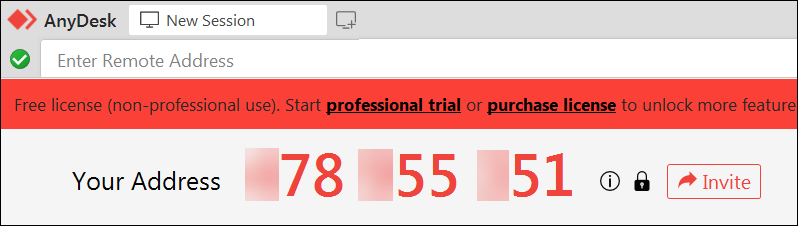
Remote support is accomplished via a program called Anydesk. On your computer you would download (free) and choose to install the program or run it without installing.

When the program is started you will see your “address”, see image below. You would email the address to me and then I would connect to your computer and fix the problem.
When I am finished you can close the program, (or if installed) uninstall it if you prefer.
Please note, nobody can access your computer if they do not know the address AND password. Also, if Anydesk is not running then no one can access your computer.
File Transfer
The PACE database is too large to send by email so this is accomplished by transferring files over the internet, the “cloud” as it is called.
The service I use is by Sync.com, a Canadian company with all its servers in Canada. Their service features state of the art encryption between your computer and their servers, as well as between mine and theirs. The transfer of data is safe.

It is very easy to use and you do not have to register, create an account or download/install anything at all.
The following shows an example of sending your database to my office.
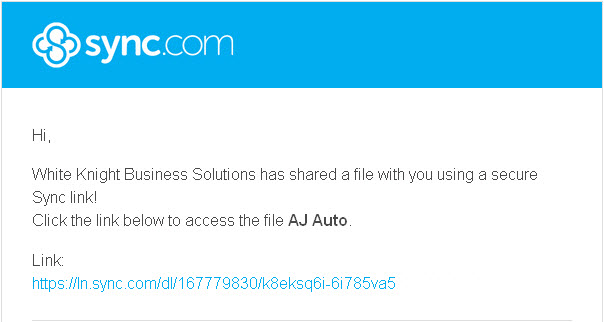
The first event is that you will receive an email notice like the one in the image below. You would click the link, and it will open up the Sync.com site in your browser.
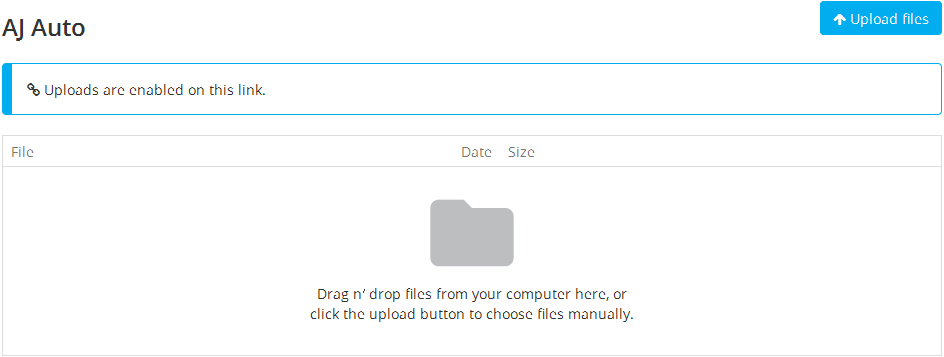
The second event is to upload your (zipped) files. You can do that by dragging the files onto the area indicated or click the “Upload Files” button to browse you computer and select the files or folders you want to send. That’s all there is to it.
An alternative to this method is for me to connect via Anydesk and do a file transfer. This can be more time consuming than using Sync.com so there may be a small charge.
Payment
All payments are processed by a service called “Helcim”. The entire process, including any information provided, is accomplished on their system with no noticeable inconvenience to you. In addition, there is no requirement to join, create an account or download anything. In our view a better experience than Paypal.
The only forms of payment I accept are:

Use Payment button in the top menu bar

Use your bank account to send to
peter@whiteknight.email